
Neuro-inclusive Onboarding
Give new hires with ADHD, dyslexia or autism the same fair start as everyone else. Short steps, clear structure, and an AI Guide they can ask anything without having to raise their hand.
You wrote the manual. Updated the wiki. Sent the email with the SharePoint link. Six months later, the same questions keep coming back. Gryffi turns that content into short, visual paths that people actually finish.
See how it worksMost organizations still rely on PDFs, slide decks, and wiki pages to share critical knowledge with their teams. The content is usually fine. The delivery is the problem. Research shows that the average attention span on a screen has dropped to 47 seconds. And around one in five employees is neurodivergent: they have ADHD, dyslexia, autism or another way of processing information. For them, a 40-page onboarding document is not just boring. It is a wall.
The result? New hires skim the handbook on day one and never open it again. Compliance trainings get clicked through without reading. The colleague with dyslexia quietly asks a teammate instead of reading the manual. The information is there, but it never reaches the people who need it. That is not a people problem. It is a format problem.
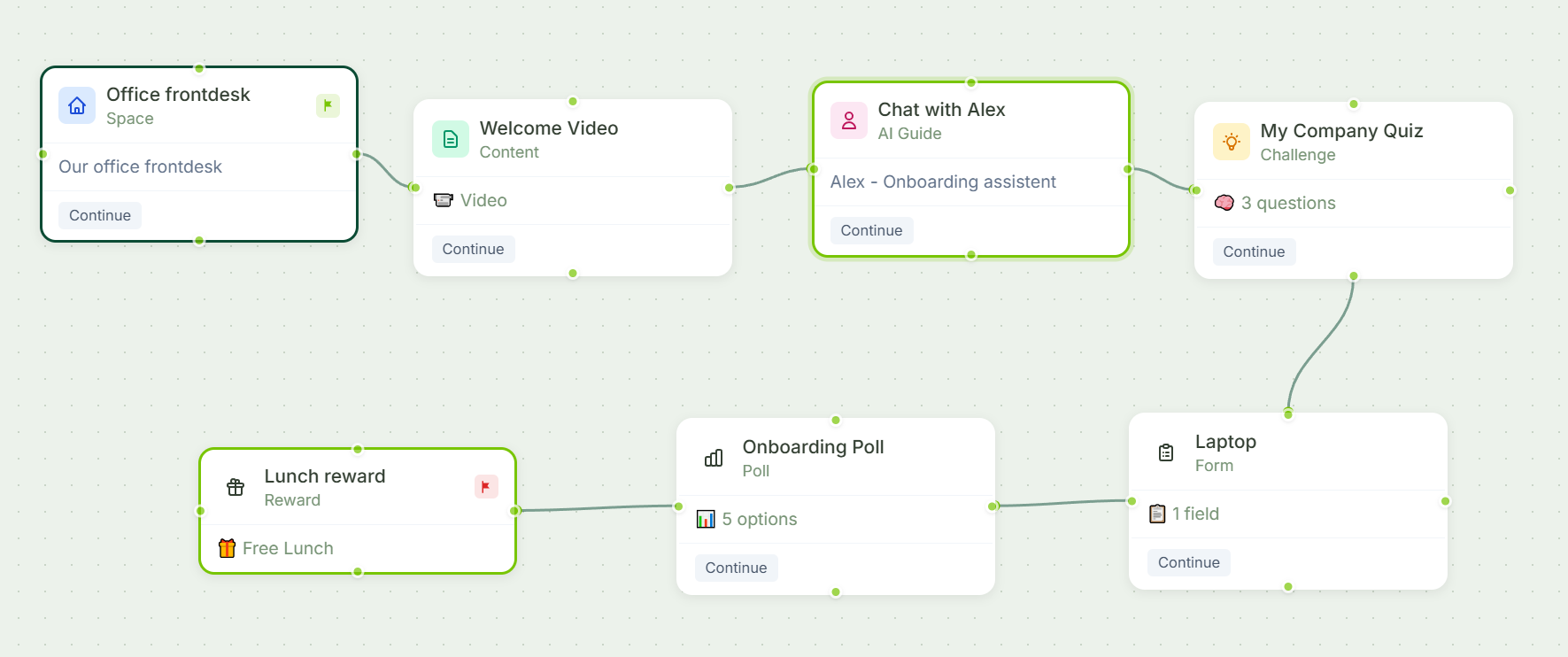
Gryffi takes a different approach. Instead of one long document, you build a journey: a series of short, varied steps that guide someone through the information. Each step is different. A 360° tour of the office, a short quiz, a video explanation, an AI guide you can ask questions in plain language. One thing at a time, with variety between steps. That is what keeps a brain with ADHD on board, and it works better for everyone else too. No app downloads, no passwords. Just a link that works.
See Gryffi in Action
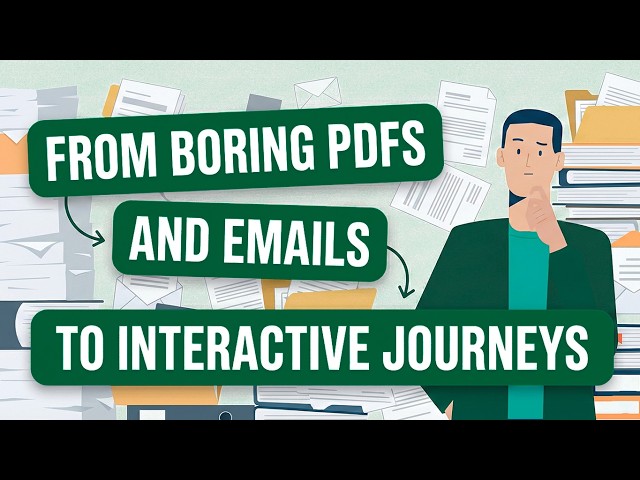
Watch how Gryffi turns static documents and repetitive meetings into interactive journeys with 360° tours, AI Guides, and verifiable quizzes.
Upload any PDF and see exactly what your team would get. No signup, no credit card.
Processed in the EU. Your file is deleted within 15 minutes.
From first-day onboarding to ongoing compliance. One platform, endless applications.
Give new hires with ADHD, dyslexia or autism the same fair start as everyone else. Short steps, clear structure, and an AI Guide they can ask anything without having to raise their hand.
Replace the 40-page handbook and repetitive intro meetings with an interactive journey covering culture, tools, and team structure. An AI Guide answers questions 24/7, based on your own documents.
Staff knows the building before they walk in. 360° panoramas and interactive floor plans use spatial memory, one of the strongest ways any brain learns.
Turn mandatory reading into short interactive training with knowledge checks. Export audit-ready PDF reports for legal, ISO, and regulatory requirements.
One question, one correct answer. An AI Guide answers from your uploaded manuals, with source citations. Asking is easier than searching, especially for people who dread the folder maze.
Roll out new processes without the chaos. Branching paths adapt the journey to role or department, so everyone gets exactly the information they need and nothing more.
See it in action
This walkthrough covers every step type: 360° spaces, AI guides, quizzes, forms, polls, and rewards. You will see the actual builder, not a marketing demo.

12 minutes
Free account. No credit card. No sales call. Just start building.
Create free accountExplore how Gryffi adapts to specific industry needs and challenges.
Multilingual safety inductions workers actually understand. Visual journeys, 360° site tours, and AI support in 14 languages. Start free.
Prepare seasonal workers before arrival with interactive journeys. Multilingual onboarding, 360° park tours, and AI support. Start free.
Turn security training into measurable behavior change. Role-based journeys with real scenarios, AI support, and compliance metrics. Start free.
Prepare new hospital staff before day one with interactive onboarding journeys. Safety protocols, virtual tours, 24/7 AI support. Start free.
Gryffi breaks information into short steps that do one thing at a time, with variety between text, images, video, quizzes and AI chat. That structure matches how people with ADHD hold attention, and it avoids the long unbroken text that trips up dyslexic readers. Progress is always visible, and the AI Guide lets people ask questions in plain language instead of searching through documents. None of this is a separate mode: the same journey simply works for more people.
Traditional LMS platforms are built around courses and modules. Gryffi is built around journeys: visual, step-by-step paths that combine different types of content like 360° tours, quizzes, videos, and interactive floor plans. There is no login, no app download, and no SCORM packaging. End users receive a personal link and start immediately.
No. The journey builder is a visual drag-and-drop canvas. You place step blocks, connect them, and fill in the content. Most people build their first journey in under 30 minutes. If you can use PowerPoint, you can use Gryffi.
Employees receive a personal magic link via email. One click and they are in. No account creation, no passwords, no app to install. Works on any device with a browser.
Yes. The analytics dashboard shows completion rates per journey, per step, and per individual user. You can see who finished, who dropped off, quiz scores, and poll results. PDF reports can be exported for audits and compliance documentation.
All data is hosted exclusively in the European Union, with servers in Germany and AI processing in France. Gryffi is fully GDPR-compliant and your data never leaves EU borders.
Yes. The Copy and Translate feature duplicates an existing journey and translates it to any of the 14 supported languages. You can review and edit the translation before publishing.
Your free account is waiting. One journey, one AI Guide, ten users. No credit card, no strings attached.