
Onboarding that works for every brain.
Gryffi is onboarding and training software. It turns manuals, policies and procedures into short journeys your whole team can finish, including colleagues with ADHD or dyslexia.
47 seconds: that is how long attention stays on one screen, on average.Source: Gloria Mark, Attention Span (2023)
Free plan. No credit card needed.
About 4 minutes left until you have seen everything
Your browser has no English voice to read with. Please try another browser.
Then
Step 2. Try it with your own PDF
Upload a handbook and see a sample journey in 30 seconds. No account.
about 3 minutes left
Your browser has no English voice to read with. Please try another browser.
Our AI is extracting key points and creating your journey
Your sample journey is ready.
You can open it again for one hour. After that it is gone.
The AI picks 3 to 5 steps from your document, writes one quiz question and sets up a guide that answers questions about your PDF.
Processed in the EU. We delete your file right after reading it. The sample is gone after one hour.
Then
Step 3. How you build a journey
You drag steps onto a canvas and connect them into a path. You do not need a developer.
about 3 minutes left
Your browser has no English voice to read with. Please try another browser.
Building on a canvas
Every step is a block. You draw a line to the next step. A path may branch: people who work at the office then get different steps from people who work on site.
Seven kinds of steps
A journey switches between these seven. That variety holds attention.
-
Space
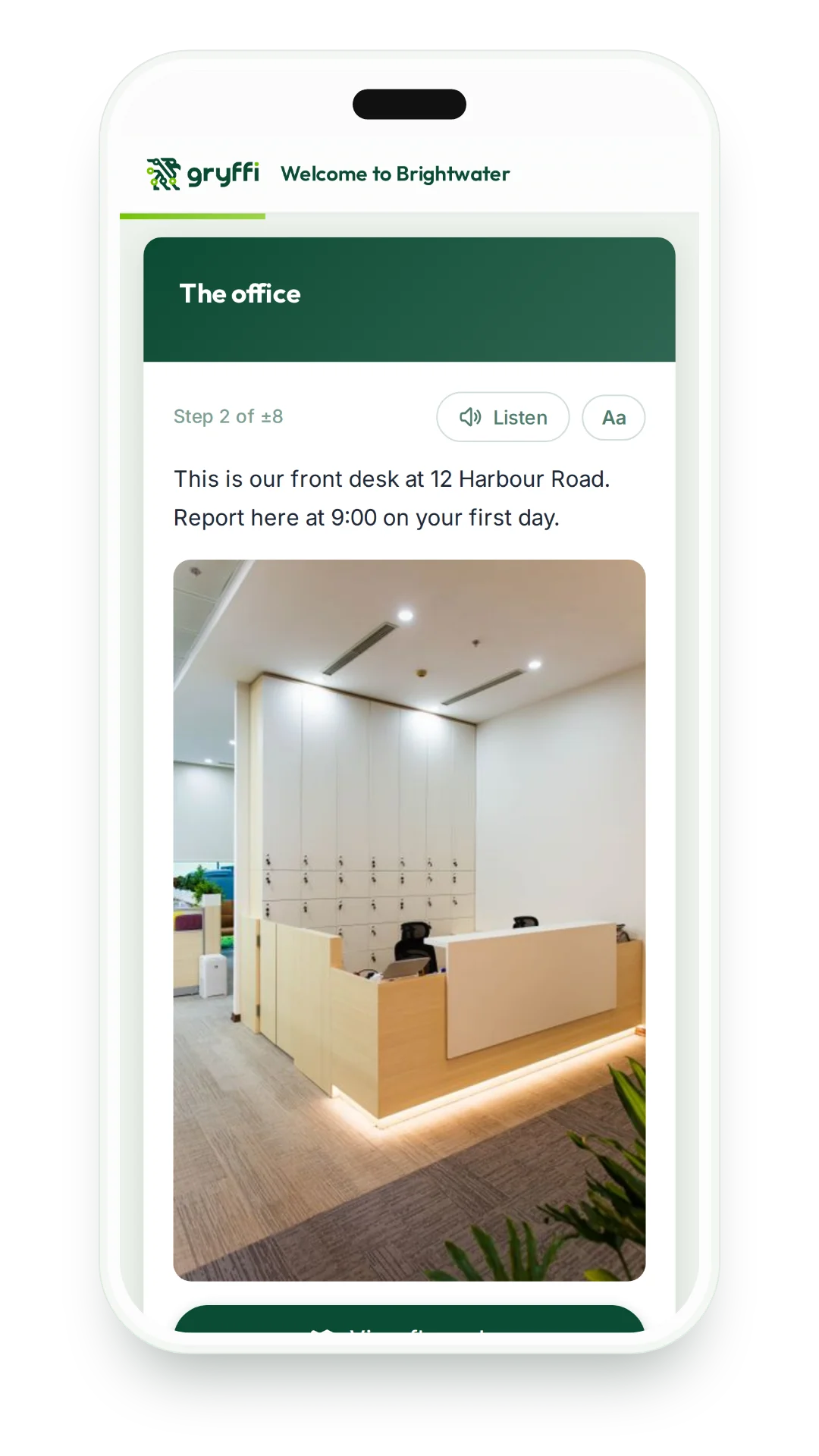
360° panoramas linked to interactive floor plans. Show your team the building before they walk in.
-
Guide
An AI chatbot that answers from your own documents. Every answer shows its source.
-
Content
Text, images, and embedded video. Explain procedures step by step with your own media.
-
Challenge
Multiple-choice questions with a pass mark. You see who understood what.
-
Form
Collect details, files and feedback inside the journey.
-
Poll
One question, instant answers. See how information lands across your team.
-
Reward
A digital certificate or a reward when someone finishes.
Invite and follow
You add people by hand, with a spreadsheet, or through Microsoft 365 or Google Workspace. Everyone gets a personal link by email: one click, no password and no app.
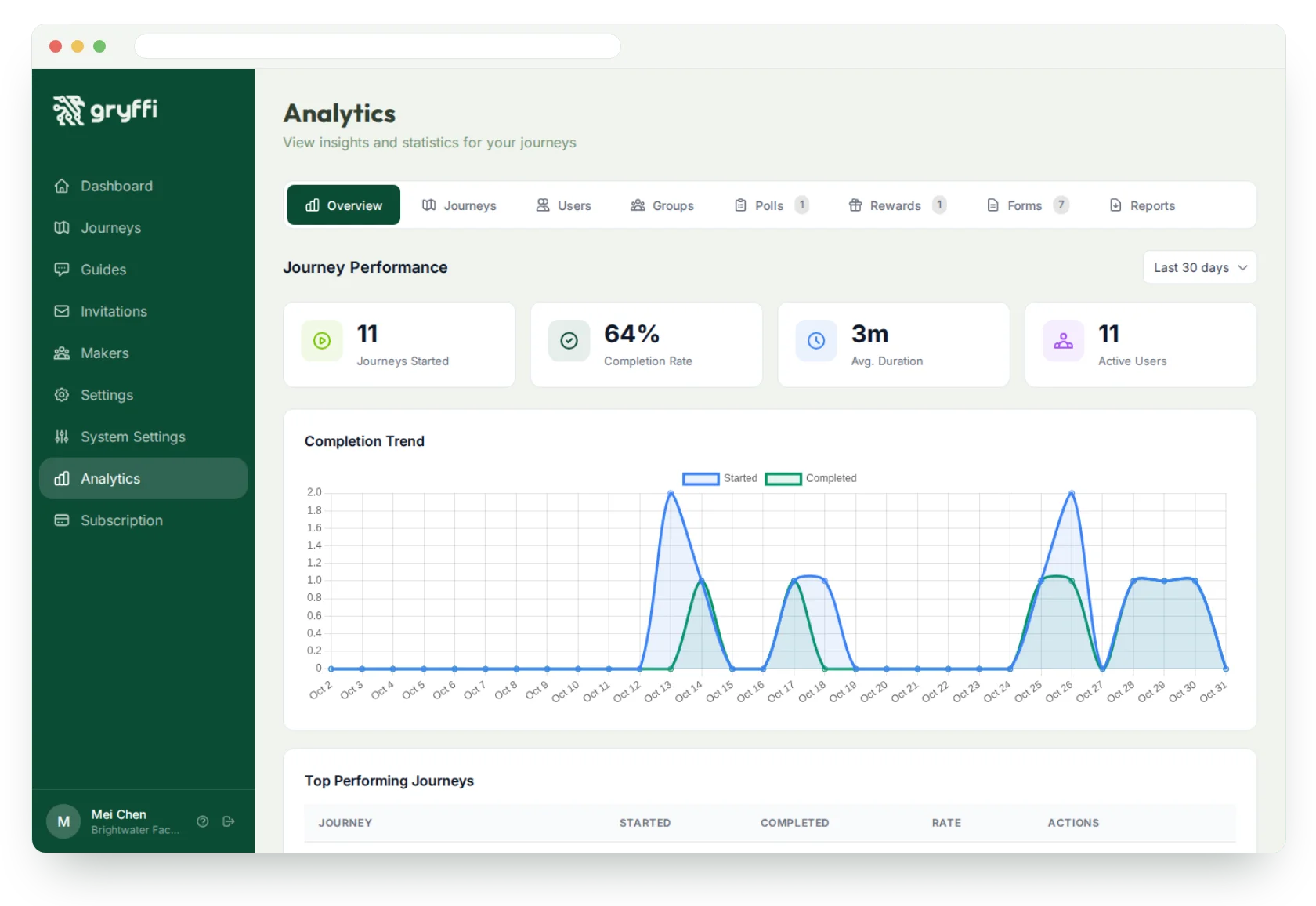
After that you see who finished, where people drop off and what they score on the quiz. If you need proof, you export a PDF report.
Then
Step 4. Why it works for every brain
A long document asks for long attention, a strong working memory and a lot of reading. Colleagues with ADHD or dyslexia get stuck there first. The rest of your team follows a few pages later.
about 2 minutes left
Your browser has no English voice to read with. Please try another browser.
- 15 to 20 percent of people are neurodivergent. It is an estimate. Source: Nancy Doyle, British Medical Bulletin (2020)
- In 2004 attention stayed on one screen for 2.5 minutes. Now it is 47 seconds. Source: Gloria Mark, Attention Span (2023)
Reading help you switch on yourself
Every journey has two buttons at the top: Listen and Aa. Employees switch them on themselves, with no settings menu and no request to a manager.
-
Listening
A voice reads the step aloud. The sentence you hear lights up, so your eyes and ears stay in the same place.
-
A font for dyslexia
One tap sets the whole journey in OpenDyslexic. Gryffi remembers the choice for the next visit.
-
Knowing where you are
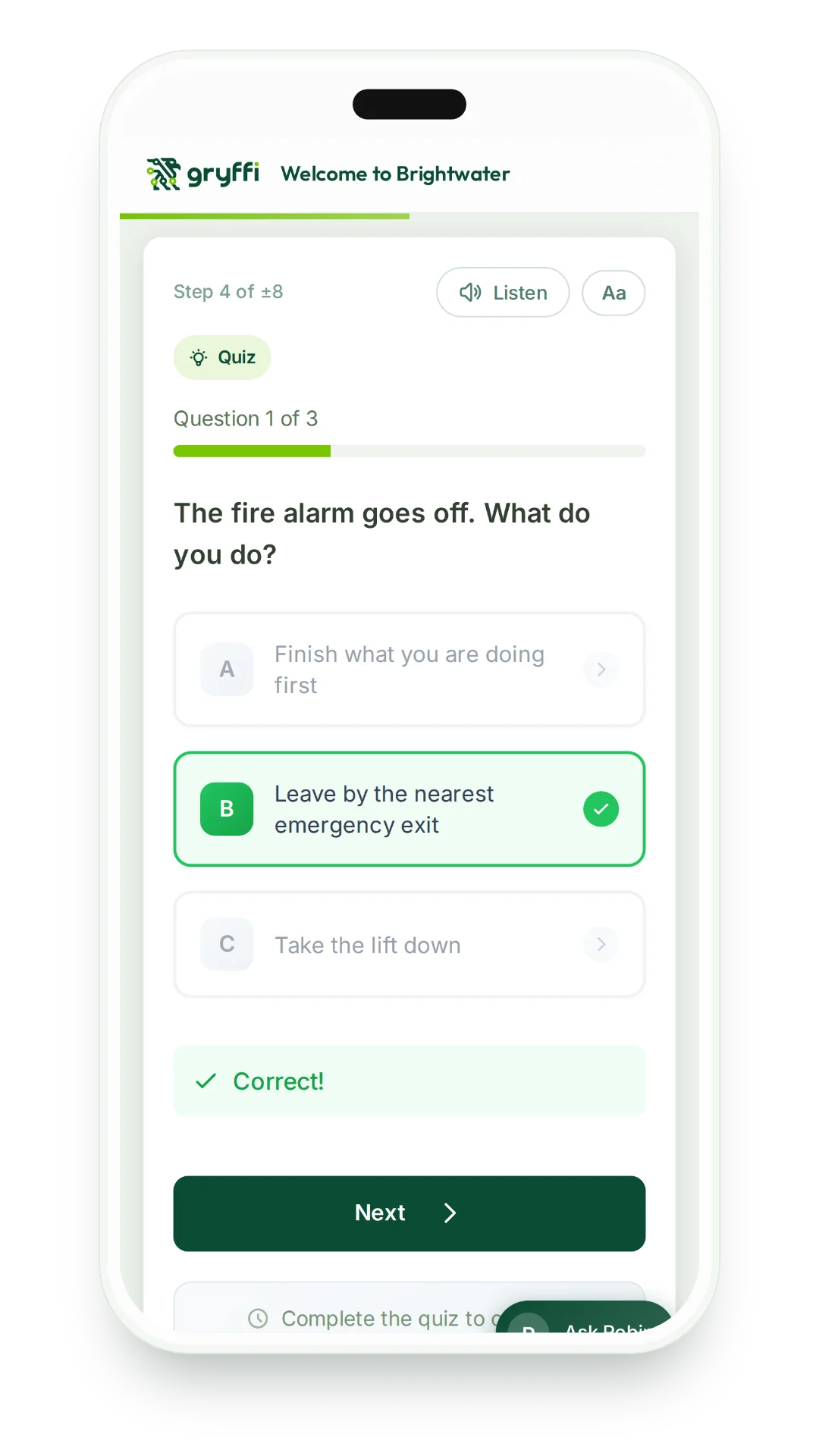
Every step also shows where you are, like step 3 of 8. A journey tells you up front roughly how many minutes it takes.
This page works the same way. Try it here.
Your browser has no English voice to read with. Please try another browser.

I have ADHD and dyslexia. In over twenty-five years in IT, I have worked through piles of handbooks, manuals and company documents I was supposed to read and never finished. I built Gryffi because I needed it myself: knowledge in small steps, one thing at a time, with an AI you can just ask questions instead of a folder you have to search.
The same information in short steps
See the difference in 80 seconds.
Then
Step 5. What it costs and where your data lives
Start free. You only pay when your team needs more.
about 40 seconds left
Your browser has no English voice to read with. Please try another browser.
-
Free
€0 per month$0 per month
For trying it out and solo use.
- 1 journey
- 1 AI guide
- 10 participants
-
Professional
€49 per month$54 per month
For small teams and growing businesses.
- 20 journeys
- 10 AI guides
- 100 participants
- Email support
-
Enterprise
€149 per month$164 per month
For larger organizations with custom themes and public journeys.
- 50 journeys
- 1,000 participants
- Priority support
See the full pricing comparison
Your data stays in the EU
The servers are in Germany and the AI runs in France, at Mistral. Your data does not leave the EU.
Then
Step 6. Start free
For HR, L&D and inclusion teams who want onboarding and training to reach everyone.
about 10 seconds left
Your browser has no English voice to read with. Please try another browser.
You enter your name, work email and company name, and confirm your email address. After that you build your first journey.
Free plan. No credit card needed.
A question first? Email info@gryffi.com